Features

Everything you need to prepare and pass, in one app

30 features on web and the iOS and Android apps, grouped by what you need to do. Each feature serves one of the 5 principles of the ScrumPass method.

View by principle: 30 features

Start in the right direction

Know what to study first and from which material, from day one.

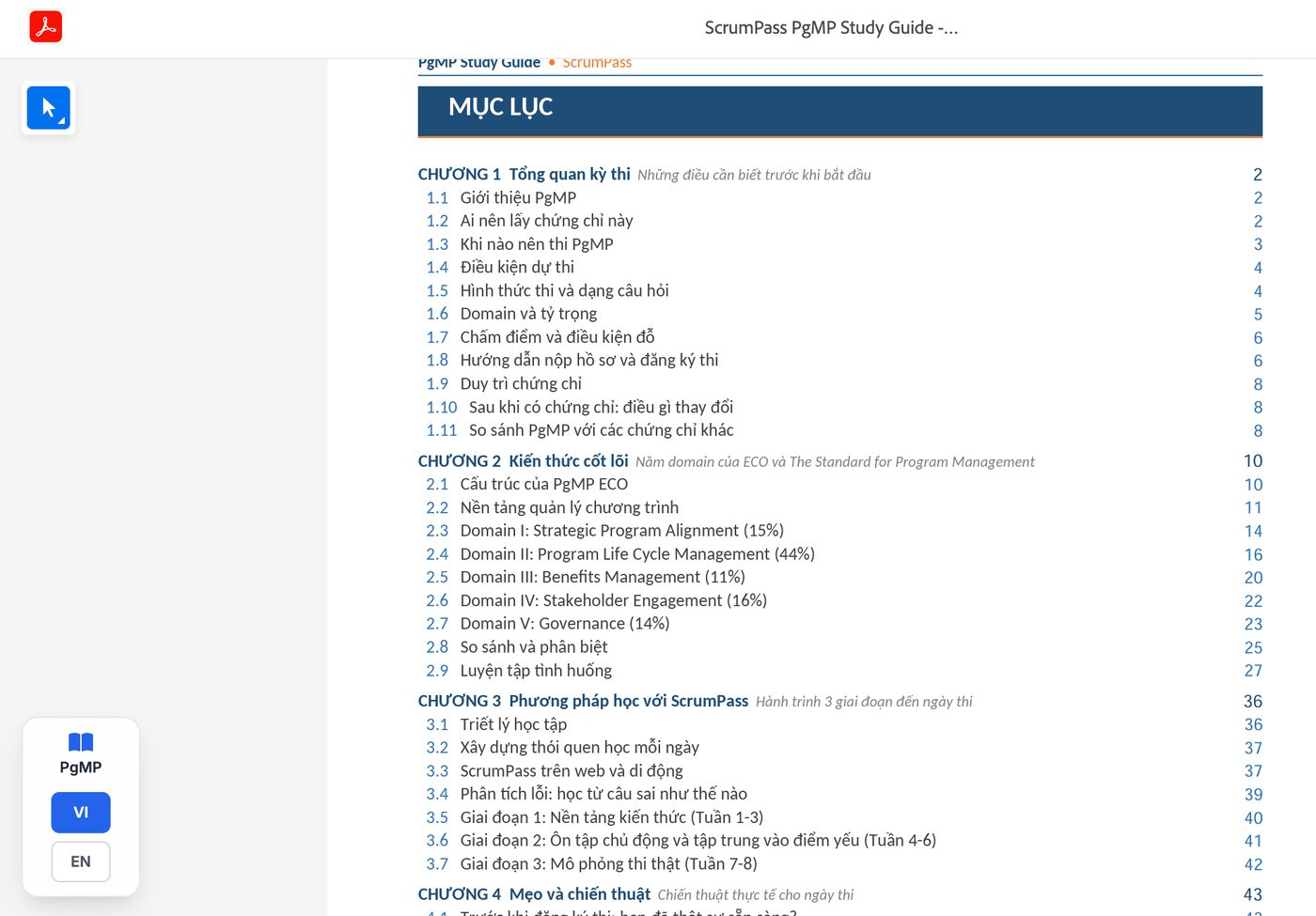
Bilingual Study Guides

Summaries of the key exam topics, switchable between English and Vietnamese with one tap.

P1 · Understanding

Flashcards for key terms

Learn each certification's terminology and mark cards you know so you only review the rest.

P1 · UnderstandingP3 · Habit

Certification study paths

What to study first, what comes next and which certification to take after.
P2 · Focus
Study Guide with a one-tap switch between English and Vietnamese

Practice your way

Build tests around the time you have and the topics you need.

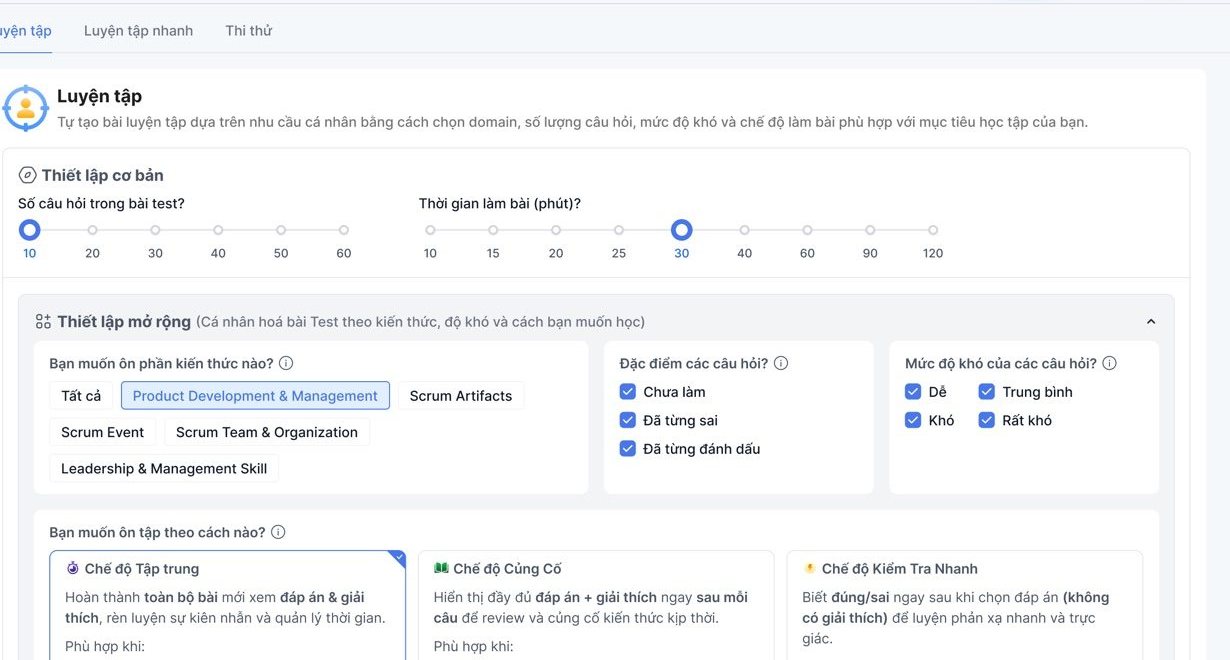
Custom practice tests

Choose domains, difficulty, number of questions and time. A 10-question test takes about 15 minutes.

P2 · FocusP3 · Habit

3 test modes

Focus (answers shown after you submit), Reinforce (explanation after each question) and Quick check (right or wrong only).

P1 · UnderstandingP4 · Exam technique

Review missed and flagged questions

Retake only the questions you got wrong or flagged so you never miss the same one twice.

P1 · UnderstandingP2 · Focus

Notes on every question

Jot down what to remember right under the question and review it later.

P1 · Understanding
Test bank: choose the number of questions, time limit, knowledge areas, difficulty and mode

Realistic mock exams

Get used to the exam room before exam day.

Real question count, real timing

Mock exams follow the real exam structure, with a countdown timer and automatic submission when time runs out.

P4 · Exam technique

An exam-room interface

Simulated PMI and Scrum.org exam interfaces.

P4 · Exam technique

Complete case studies

The scenario and its related questions appear together, just like the real exam.

P4 · Exam technique

Tools while you test

Flag questions, strike out eliminated options, adjust font size, use keyboard shortcuts, autosave and resume unfinished tests.

P4 · Exam technique

Understand every question

Grasp what each question is asking and why one answer is right and the others are wrong.

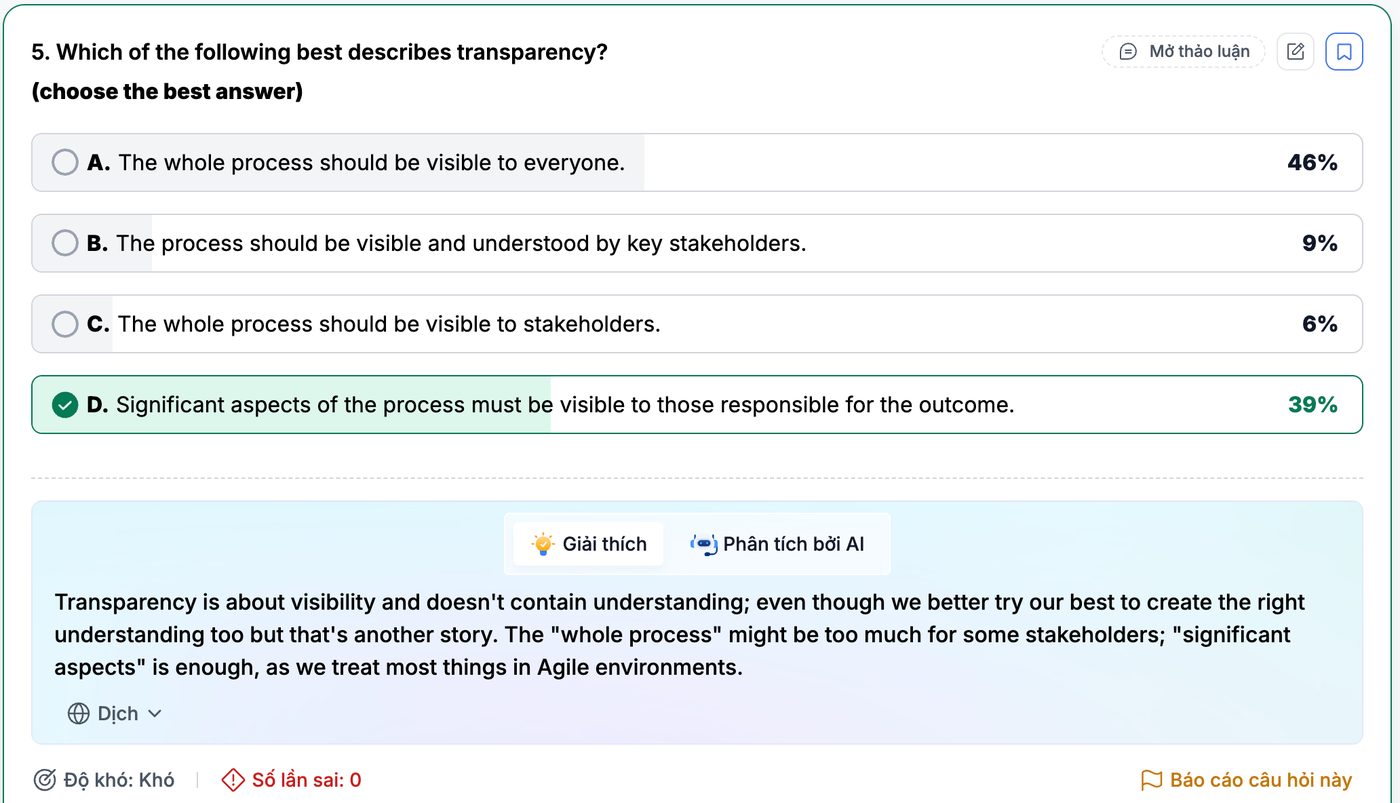
Every option explained

Not just the right answer, but why each of the other options is wrong.

P1 · Understanding

AI analysis

AI analyzes the question based on the exact answer you chose. 10 free requests a day.

P1 · Understanding

English or Vietnamese

Use Exam Tool in English or Vietnamese; explanations can be translated with one tap.

P1 · Understanding

Answer statistics

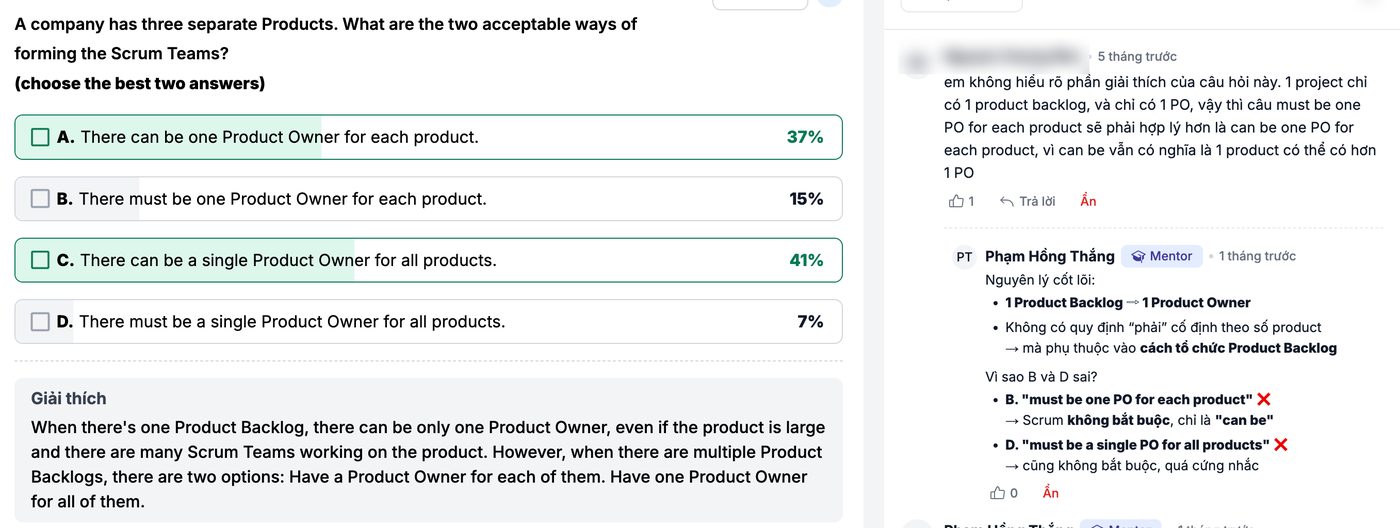
See what percentage of learners chose each option and spot the questions people often get wrong.

P1 · UnderstandingP2 · Focus
Question review: share of learners choosing each option, with the explanation

Track your progress

Metrics keep you on track; Exam Pass Rate tells you when to sit the exam.

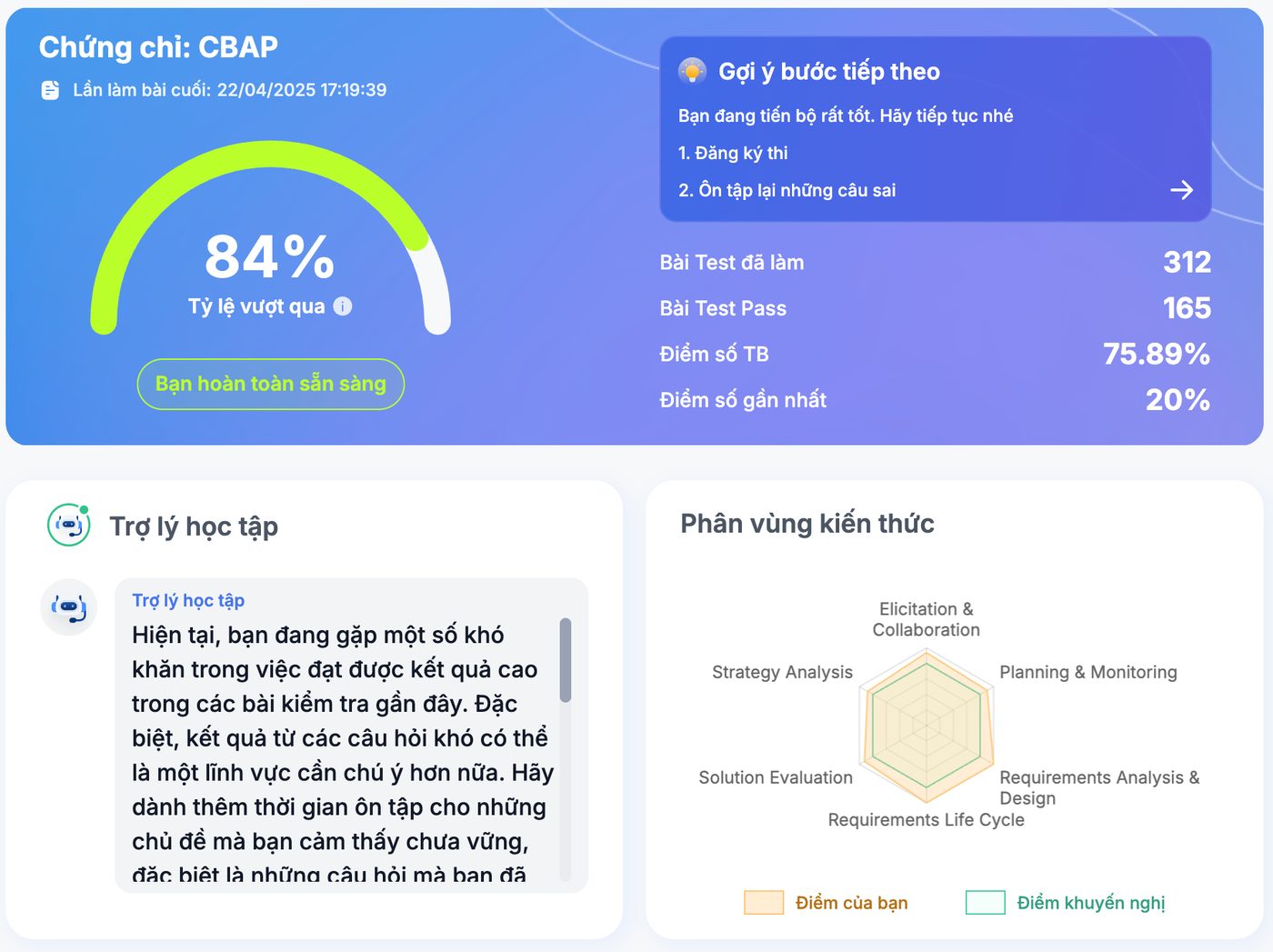
Knowledge map

Your score in each domain against the recommended level, so weak areas stand out.

P2 · Focus

Learning metrics

Questions answered, wrong answers, time per question and scores over time.

P2 · Focus

AI study assistant

Comments on how your study is going and suggests what to do next.

P2 · Focus

Exam Pass Rate

One number that tells you whether you are ready. From 85%, it is time to book the exam.

P2 · FocusP4 · Exam technique
Dashboard: Exam Pass Rate, knowledge map and the AI study assistant

Study a little every day

Study anywhere, with a nudge when you fall out of rhythm.

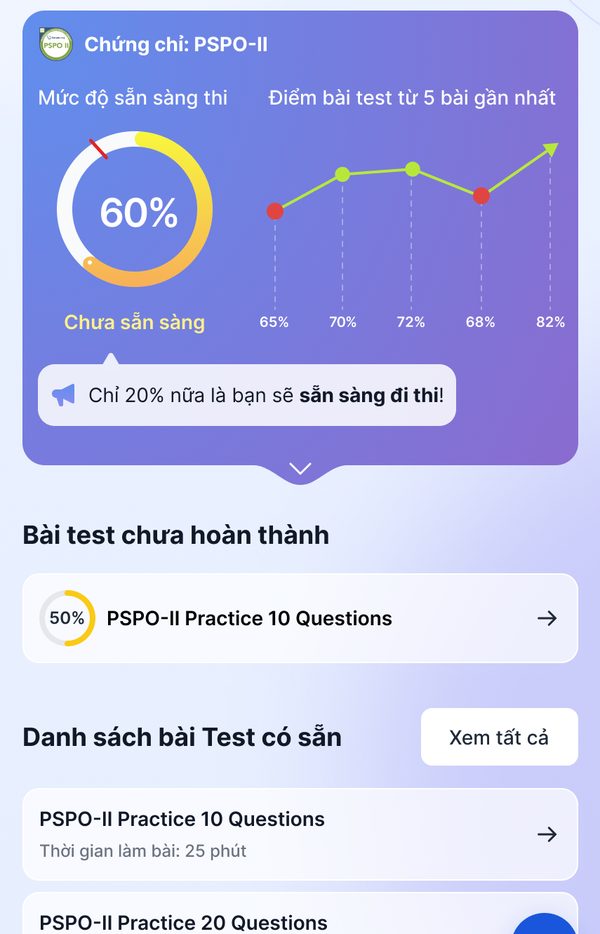
iOS and Android apps

Progress syncs with the web, so you can finish a test on another device.

P3 · Habit

Exam day countdown

Set your target exam date and the dashboard counts down the days.

P3 · Habit

Study reminders

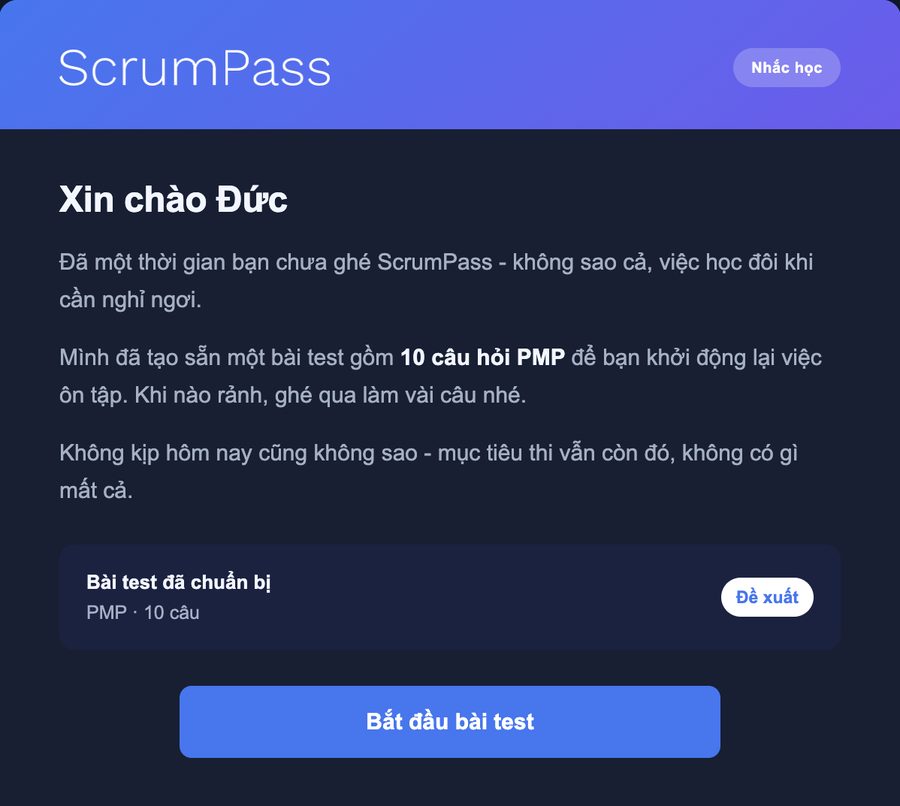
A reminder email when you have not studied for 5, 10 or 21 days, with a short test ready to go.

P3 · Habit

Ready alert

An email when your Exam Pass Rate reaches 85%, so you can plan your exam booking.

P3 · HabitP2 · Focus

App StoreGoogle Play

The ScrumPass mobile app: exam readiness and practice modes

Study community

Ask under every question, with mentors and fellow learners.

Discussion under every question

Ask about what you do not understand right under the question and read other learners' views.

P5 · CommunityP1 · Understanding

Mentor answers

Mentors answer discussions in the certifications they cover.

P5 · Community

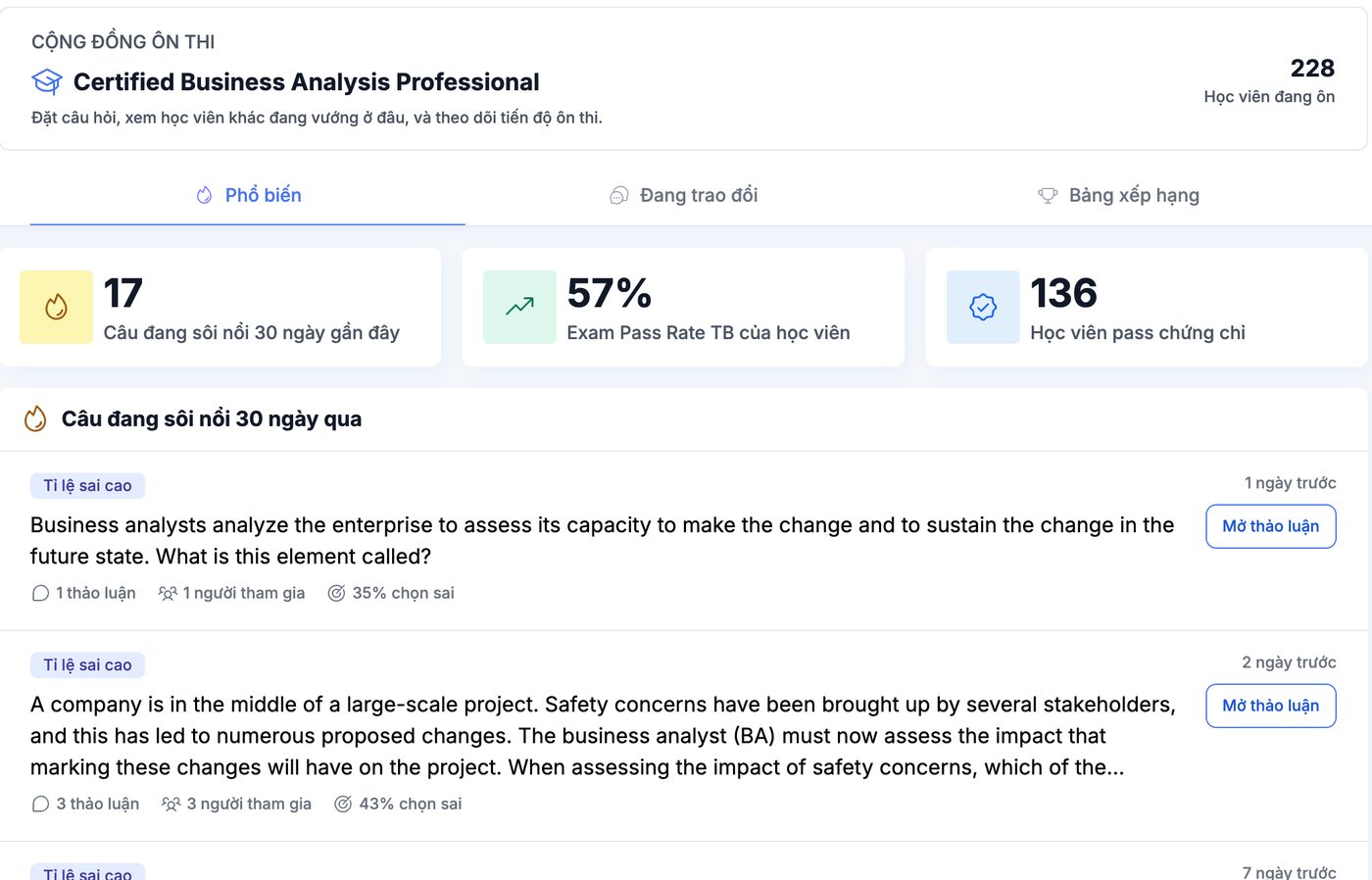
Trending questions

Questions many people got wrong and are discussing in the last 30 days.

P5 · CommunityP2 · Focus

Leaderboards

Three leaderboards (Exam Pass Rate, Most improved, Top contributors) to keep you motivated.

P5 · CommunityP3 · Habit
Study community: trending questions, average Exam Pass Rate and number of learners who passed

Support until exam day

Someone is with you all the way to registration and the exam room.

One-on-one mentor

Advice on your study plan and approach, plus answers via chat. An add-on available for 12 certifications.

See mentor prices P5 · Community

Exam registration support

Help registering for the exam, choosing the exam format and preparing for exam day.

P5 · Community

Details for every exam

Question count, duration, passing score and exam fee on each certification page.

Browse certifications P4 · Exam technique
A mentor explains why the other options are wrong in the discussion

Start for free

How far are you from exam day? Take your first 10 tests to find out.

Sign up and start right away. After 10 tests you get your own Exam Pass Rate, see what is pulling your score down and know what to study next.

  • Your personal Exam Pass Rate after the first 10 tests
  • Pinpoints weak knowledge areas so you study the right things
  • Study on web and mobile whenever you have time
Start free trial